


Okay, so here’s the thing about website colors
Colors are important. They are quietly telling your visitors what kind of experience they are about to have with you.
Are you the buttoned-up professional or the creative wildcard? Fast-paced or calming? Budget-friendly or luxury? Your colors answer these questions before they read a single word on your homepage.
This blog post is my guide for picking website colors that actually make sense for your brand, and not just colors that look nice.
What your colors are actually saying
Warm colors (reds, oranges, yellows, warm neutrals) feel energetic and bold. They work if you want to come across as creative, passionate, action-oriented. Just don’t go overboard—too much warm and it starts feeling aggressive or chaotic.
Cool colors (blues, greens, purples, cool greys) feel trustworthy and calm. They’re great for service businesses, wellness, education, anything where you want people to feel at ease. The downside? Too much cool can feel distant or corporate.
Here’s what most people miss: it’s not warm versus cool. You need both. The trick is usually picking one or two standout colors for buttons and calls-to-action, then balancing everything else with neutrals so it doesn’t feel like a visual cachophony.
Start with a moodboard, not a color wheel
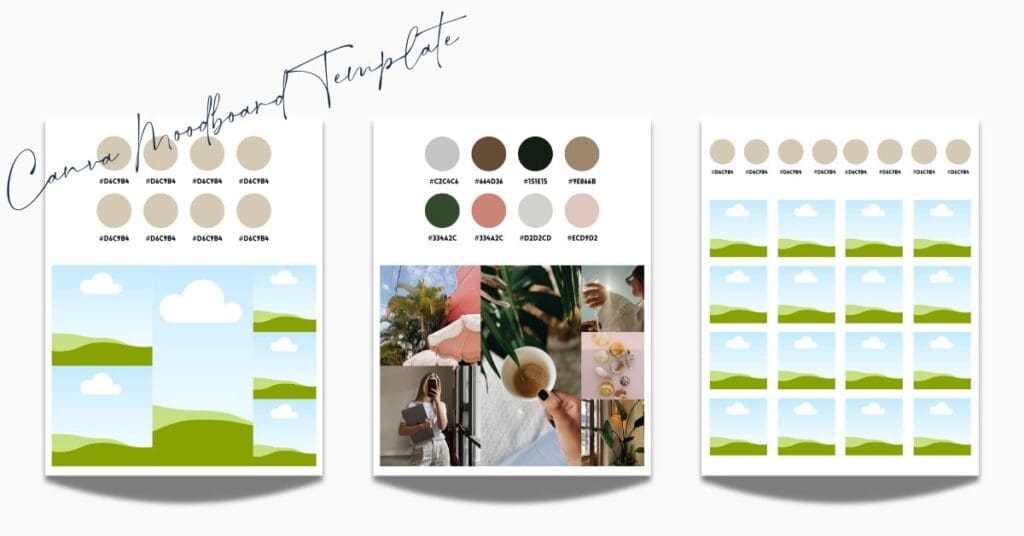
Whenever I’m working on a website, whether it’s a custom design or a template customization, I always start with a moodboard. A moodboard is a collection of images that capture the feeling of the brand. These images could be inspiration photos, your existing brand shots, logo, honestly whatever captures the vibe you’re going for.
When all of these images are placed together on the moodboard, I then look for patterns. What colors keep showing up? What tones feel consistent? I pull those colors directly from the images until I have a rough color pallet. I generally do this in Canva, I have a moodboard template for you to download here.
The main point of this exercise is to ensure you’re not picking colors in a vacuum. That you’re making color pallet decisions based on actual images so you can see how the colors will work with each other. You’re making sure they work together and actually reflect the feeling you’re trying to create. This is far more reliable than scrolling through Pantone swatches and hoping for the best (also far less overwhelming).
Turning your moodboard into an 8-color palette
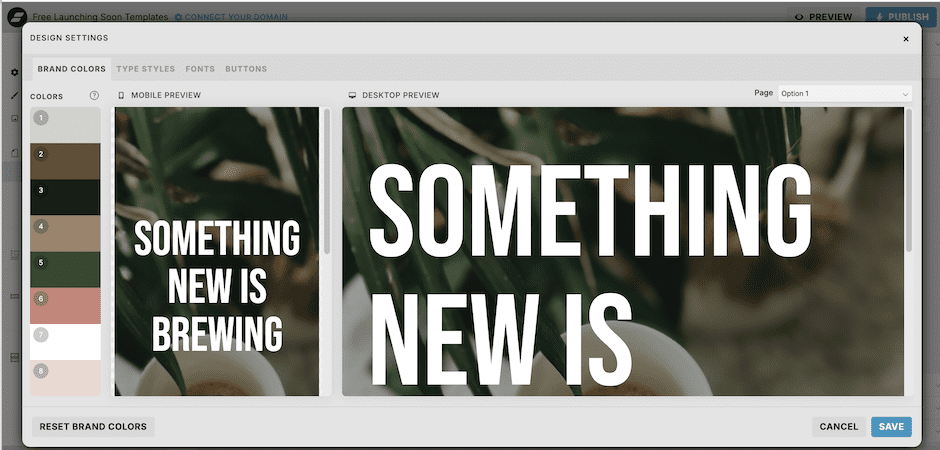
Once you’ve got your moodboard sorted, you need to narrow it down to 8 colors for your Showit Design Settings. Here’s what those usually break down to:
- Primary brand color
- Secondary brand color
- Accent color (buttons, CTAs, anything you want people to click)
- Light neutral (backgrounds)
- Dark neutral (text)
- Soft background tone
- Highlight or hover color
- Optional flex color (seasonal stuff, special promos, etc.)
After you pick them, take a moment and think: Does this palette match how you want people to feel on your site? If your brand was a physical store and these colors represented the merchandise, would it feel like your store? Or would something feel off?
If anything feels off, go back to your moodboard. Either the colors need tweaking, or the images on your moodboard aren’t actually representing your brand. Sometimes you just need to step away for a bit—go for a walk, work on something else. Sometimes design problems solve themselves better when you’re not staring directly at them.
Don’t skip the accessibility check
Good design is also accessible design: if people can’t read your text, your color palette doesn’t matter. There are actual legal requirements for color contrast, and honestly, it just makes good sense.
- Normal text (body copy, smaller headings): needs at least 4.5:1 contrast
- Large text (big headings): needs at least 3:1 contrast
I use the Coolors Contrast Checker. Takes two seconds, and it’ll even suggest color fixes if your contrast is too low.
The whole process, start to finish
- Decide what feeling you’re going for
- Build your moodboard (inspiration, real brand photos, logos, etc.)
- Notice whether you’re leaning warm or cool
- Pull your 8-color palette
- Run an accessibility check
- Use it consistently across your whole site
The best color palette isn’t the one that’s trending on Instagram right now. It’s the one that feels aligned with who you actually are and makes it easy for people to engage with your site.
That’s it! Go make something that feels like you!
Need help? Check out my website design services!
You Might Also Like
When to DIY and When to Hire a Website Designer to Customize Your Showit Website Template

Can You Really Transform a Website Template?

Blue House Creative Co. Website Design Process

Creating a website that truly represents your business shouldn’t feel overwhelming or mysterious.
Curious about whether a website template is right for you? Maybe you’re concerned that your site will look like everyone else’s?
READ THE POST
READ THE POST
READ THE POST


